
Toyota CH-R Service Manual: Front Door Pressure Sensor RH (B166C/4A,B166F/4A)
DESCRIPTION
The side collision sensor RH circuit (bus 1) consists of the airbag sensor assembly, door side airbag sensor RH, No. 1 side airbag sensor RH and No. 2 side airbag sensor RH.
The door side airbag sensor RH, No. 1 side airbag sensor RH and No. 2 side airbag sensor RH detect impacts to the vehicle and send signals to the airbag sensor assembly to determine if the airbags and pretensioners should be deployed.
These DTCs are stored when a malfunction is detected in the door side airbag sensor RH.
|
DTC No. |
Detection Item |
DTC Detection Condition |
Trouble Area |
Test Mode / Check Mode |
|---|---|---|---|---|
|
B166C/4A |
Front Door Pressure Sensor RH |
Any of the following conditions is met:
|
|
Does not apply to test/check mode |
|
B166F/4A |
Front Door Pressure Sensor Threshold Malfunction (RH) |
Any of the following conditions is met:
|
|
Does not apply to test/check mode |
|
Vehicle Condition |
|||
|---|---|---|---|
|
Pattern 1 |
Pattern 2 |
||
|
Diagnosis Condition |
Ignition switch ON |
○ |
○ |
|
Malfunction Status |
Door side airbag sensor RH malfunction |
○ |
- |
|
Airbag sensor assembly malfunction |
- |
○ |
|
|
Detection Time |
- |
- |
|
|
Number of Trips |
1 trip |
1 trip |
|
|
Vehicle Condition |
|||
|---|---|---|---|
|
Pattern 1 |
Pattern 2 |
||
|
Diagnosis Condition |
Ignition switch ON |
○ |
○ |
|
Malfunction Status |
Door side airbag sensor RH malfunction |
○ |
- |
|
Airbag sensor assembly malfunction |
- |
○ |
|
|
Detection Time |
- |
- |
|
|
Number of Trips |
1 trip |
1 trip |
|
HINT:
DTC will be output when conditions for either of the patterns in the table above are met.
WIRING DIAGRAM
Click here .gif)
CAUTION / NOTICE / HINT
NOTICE:
After turning the ignition switch off, waiting time may be required before disconnecting the cable from the negative (-) battery terminal. Therefore, make sure to read the disconnecting the cable from the negative (-) battery terminal notices before proceeding with work.
Click here
PROCEDURE
|
1. |
CHECK DOOR SIDE AIRBAG SENSOR RH |
|
(a) Turn the ignition switch off. |
|
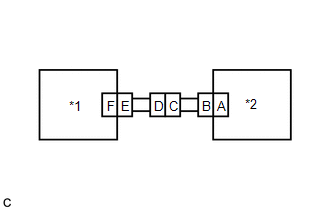
(b) Disconnect the cable from the negative (-) battery terminal.
CAUTION:
Wait at least 90 seconds after disconnecting the cable from the negative (-) battery terminals to disable the SRS system.
(c) Interchange the door side airbag sensor RH with LH and connect the connectors.
(d) Connect the cable to the negative (-) battery terminal.
(e) Clear the DTCs stored in memory.
Click here
(f) Turn the ignition switch off.
(g) Turn the ignition switch ON, and wait for at least 60 seconds.
(h) Check for DTCs.
Click here
HINT:
Codes other than DTCs B166C/4A, B166F/4A, B167A/5A and B167E/5A may be output at this time, but they are not related to this check.
|
Result |
Proceed to |
|---|---|
|
DTC B166C/4A or B166F/4A is output. |
A |
|
DTC B167A/5A or B167E/5A is output. |
B |
|
DTCs B166C/4A, B166F/4A, B167A/5A and B167E/5A are not output. |
C |
(i) Turn the ignition switch off.
(j) Disconnect the cable from the negative (-) battery terminal.
CAUTION:
Wait at least 90 seconds after disconnecting the cable from the negative (-) battery terminal to disable the SRS system.
(k) Return the door side airbag sensor RH and LH to their original positions and connect the connectors.
| A | .gif) |
REPLACE AIRBAG SENSOR ASSEMBLY |
| B | |
REPLACE DOOR SIDE AIRBAG SENSOR RH |
| C | |
USE SIMULATION METHOD TO CHECK |
 Seat Belt Buckle Switch LH Circuit Malfunction (B1656/38)
DESCRIPTION
The seat belt buckle switch LH circuit consists of the airbag sensor assembly
and seat belt buckle switch LH (front seat inner belt assembly LH).
DTC B1656/38 is stored when a malfunct ...
 Front Door Pressure Sensor LH (B167A/5A,B167E/5A)
DESCRIPTION
The side collision sensor LH circuit (bus 1) consists of the airbag sensor assembly,
door side airbag sensor LH, No. 1 side airbag sensor LH and No. 2 side airbag sensor
LH.
The door ...
Other materials:
Toyota CH-R Service Manual > Lighting System: System Diagram
SYSTEM DIAGRAM
HEADLIGHT ASSEMBLY (for LED Headlight)
...
Toyota CH-R Service Manual > Front Axle Hub: Removal
REMOVAL
CAUTION / NOTICE / HINT
The necessary procedures (adjustment, calibration, initialization, or registration)
that must be performed after parts are removed and installed, or replaced during
front axle hub sub-assembly removal/installation are shown below.
Necessary Procedures After Par ...
Toyota C-HR (AX20) 2023-2026 Owner's Manual
Toyota CH-R Owners Manual
- For safety and security
- Instrument cluster
- Operation of each component
- Driving
- Interior features
- Maintenance and care
- When trouble arises
- Vehicle specifications
- For owners
Toyota CH-R Service Manual
- Introduction
- Maintenance
- Audio / Video
- Cellular Communication
- Navigation / Multi Info Display
- Park Assist / Monitoring
- Brake (front)
- Brake (rear)
- Brake Control / Dynamic Control Systems
- Brake System (other)
- Parking Brake
- Axle And Differential
- Drive Shaft / Propeller Shaft
- K114 Cvt
- 3zr-fae Battery / Charging
- Networking
- Power Distribution
- Power Assist Systems
- Steering Column
- Steering Gear / Linkage
- Alignment / Handling Diagnosis
- Front Suspension
- Rear Suspension
- Tire / Wheel
- Tire Pressure Monitoring
- Door / Hatch
- Exterior Panels / Trim
- Horn
- Lighting (ext)
- Mirror (ext)
- Window / Glass
- Wiper / Washer
- Door Lock
- Heating / Air Conditioning
- Interior Panels / Trim
- Lighting (int)
- Meter / Gauge / Display
- Mirror (int)
- Power Outlets (int)
- Pre-collision
- Seat
- Seat Belt
- Supplemental Restraint Systems
- Theft Deterrent / Keyless Entry

0.0108