
Toyota CH-R Service Manual: Back Door Weatherstrip
Components
COMPONENTS
ILLUSTRATION
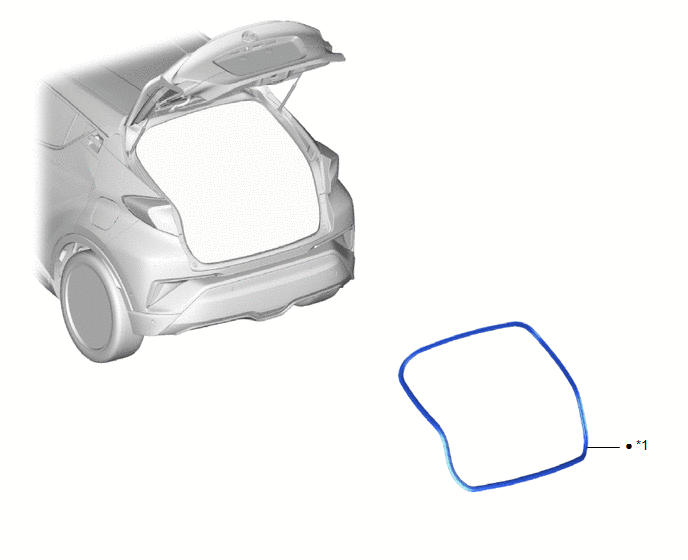
|
*1 |
BACK DOOR WEATHERSTRIP |
- |
- |
|
● |
Non-reusable part |
- |
- |
Removal
REMOVAL
PROCEDURE
1. REMOVE BACK DOOR WEATHERSTRIP
|
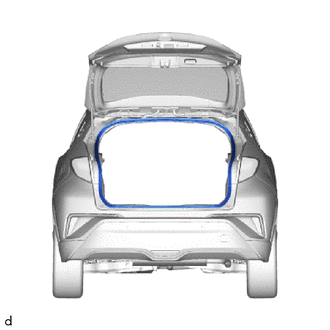
(a) Remove the back door weatherstrip. |
|
Installation
INSTALLATION
PROCEDURE
1. INSTALL BACK DOOR WEATHERSTRIP
|
(a) Remove any non-drying sealer on the body with non-residue solvent. |
|
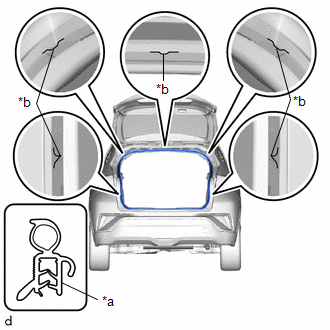
(b) Align the paint marks with the positions on the body flange and install a new back door weatherstrip.
Paint Mark:
|
Location |
Color |
|---|---|
|
Center |
Green |
|
Side |
Blue |
NOTICE:
- Always align the paint mark when installing the part. If the paint mark position is out of place, coolant leaks may occur.
- After the installation, check that the corners are properly installed.
HINT:
To easily install the weatherstrip, first install the area with the paint mark as shown in the illustration. Then install the part toward the corners and push any excess length into the corners.
 Back Door Support
Components
COMPONENTS
ILLUSTRATION
*1
BACK DOOR DAMPER STAY LOWER BRACKET
*2
BACK DOOR DAMPER STAY UPPER BRACKET
*3
BACK ...
 Front Door
...
Other materials:
Toyota CH-R Service Manual > Navigation System: USB Device Malfunction (B1585)
DESCRIPTION
This DTC is stored when a malfunction occurs in a connected device.
DTC No.
Detection Item
DTC Detection Condition
Trouble Area
B1585
USB Device Malfunction
USB Device Malfunction
Non mass- ...
Toyota CH-R Service Manual > Blower Unit(for Valeo Made): Components
COMPONENTS
ILLUSTRATION
*A
for Dual Type
*B
for Single Type
*C
w/ PTC Heater
-
-
*1
BLOWER ASSEMBLY
*2
NO. 2 AIR DUCT
*3
NO. ...
Toyota C-HR (AX20) 2023-2026 Owner's Manual
Toyota CH-R Owners Manual
- For safety and security
- Instrument cluster
- Operation of each component
- Driving
- Interior features
- Maintenance and care
- When trouble arises
- Vehicle specifications
- For owners
Toyota CH-R Service Manual
- Introduction
- Maintenance
- Audio / Video
- Cellular Communication
- Navigation / Multi Info Display
- Park Assist / Monitoring
- Brake (front)
- Brake (rear)
- Brake Control / Dynamic Control Systems
- Brake System (other)
- Parking Brake
- Axle And Differential
- Drive Shaft / Propeller Shaft
- K114 Cvt
- 3zr-fae Battery / Charging
- Networking
- Power Distribution
- Power Assist Systems
- Steering Column
- Steering Gear / Linkage
- Alignment / Handling Diagnosis
- Front Suspension
- Rear Suspension
- Tire / Wheel
- Tire Pressure Monitoring
- Door / Hatch
- Exterior Panels / Trim
- Horn
- Lighting (ext)
- Mirror (ext)
- Window / Glass
- Wiper / Washer
- Door Lock
- Heating / Air Conditioning
- Interior Panels / Trim
- Lighting (int)
- Meter / Gauge / Display
- Mirror (int)
- Power Outlets (int)
- Pre-collision
- Seat
- Seat Belt
- Supplemental Restraint Systems
- Theft Deterrent / Keyless Entry

0.0068